
In this story11 sections
- PHP 8.2 end of life lands on 31 December 2026
- Supported versions after the 8.2 cut-off: 8.3, 8.4 and 8.5
- Your site will not go dark on 1 January, but the locks stop changing
- PHP2Shell: why the October flaws were a warning shot for 8.2 sites
- How to check PHP version of my website in two minutes
- Switching versions in cPanel MultiPHP Manager, Hostinger hPanel and Plesk
- PHP 8.3, 8.4 or 8.5: picking the right landing spot
- Testing WordPress and WooCommerce on a staging site before the switch
- Laravel, CodeIgniter and older custom code: where upgrades take longer
- A seven-step plan to finish the move before 31 December
- Frequently asked questions
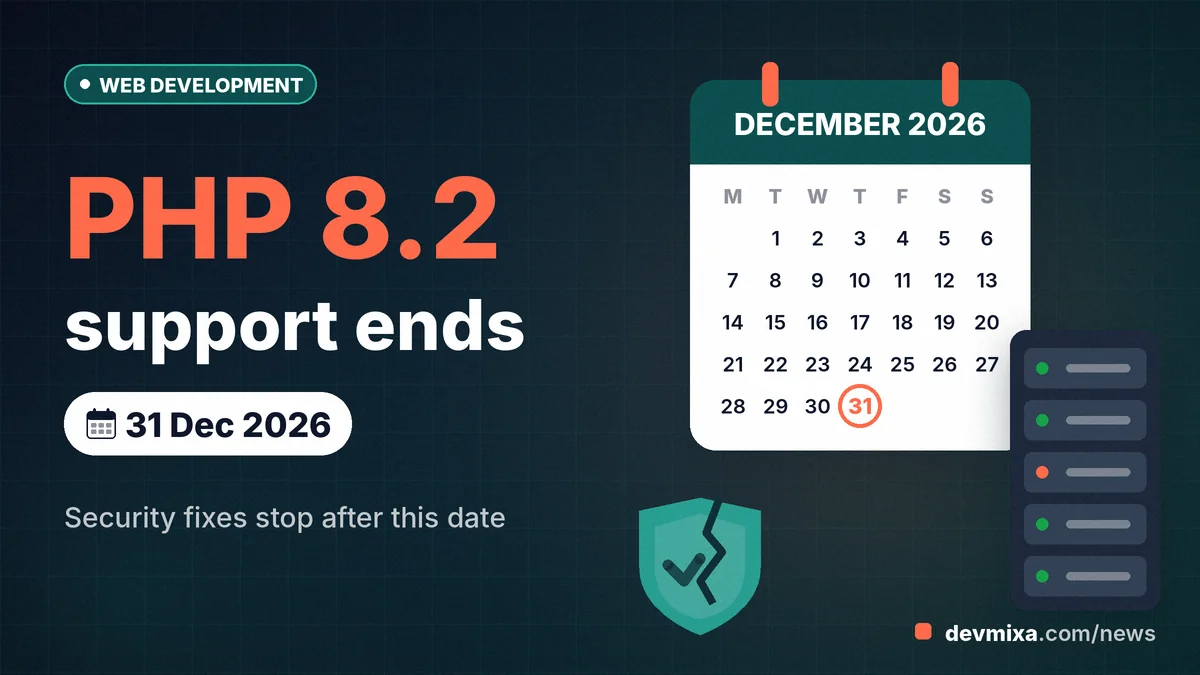
On 31 December 2026, the clock runs out for PHP 8.2. That is the PHP 8.2 end of life date confirmed by php.net, and after it the PHP team will ship no further security fixes for the branch. For the many Indian shop sites, clinic pages and WordPress blogs still running 8.2, the server will keep humming on 1 January 2027, but any new hole found after that will simply stay open.
The timing is sharper than usual. Just two weeks before this story went live, the PHP project rushed out fixes for two critical flaws that allowed remote code execution without a login, and security outlets report that the US cyber agency CISA has since listed both as exploited in real attacks. If your website is built on PHP, this is the quarter to check, test and move.
| Item | Details |
|---|---|
| What | PHP 8.2 security support ends; no fixes after the cut-off |
| Who it affects | WordPress, WooCommerce, Laravel, CodeIgniter and custom PHP sites still on 8.2 (or older) |
| Key dates | 21 Oct 2026: PHP 8.2.35 released with the end-of-life notice. 31 Dec 2026: PHP 8.2 end of support |
| Official source | php.net supported versions page and release archive |
| What to do | Check your version, take a full backup, test on staging, move to PHP 8.3, 8.4 or 8.5 |
PHP 8.2 end of life lands on 31 December 2026
PHP 8.2 stops receiving security fixes on 31 December 2026, and php.net has put that in writing twice. The php.net supported versions page lists the 8.2 branch with security support ending on that date, and the release note for PHP 8.2.35, published on 21 October 2026, repeats it plainly: once 31 December 2026 passes, the branch is closed to security fixes. The note closes by asking users to plan their move to a supported version.
So what does "end of life" mean in practice? Every PHP branch lives in two stages. First comes active support, roughly two years in which bugs of every kind are fixed and regular point releases ship. Then comes security support, a quieter phase where only security issues get patched. PHP 8.2 left active support on 31 December 2024, which means the last two years have been security-only.
End of life is the third stage, and it is silence. No point releases, no emergency patches, no advisories written with your version in mind. Think of it like an apartment block where the watchman has gone home for good: the doors still open and close, yet nobody is checking who walks in.
Supported versions after the 8.2 cut-off: 8.3, 8.4 and 8.5
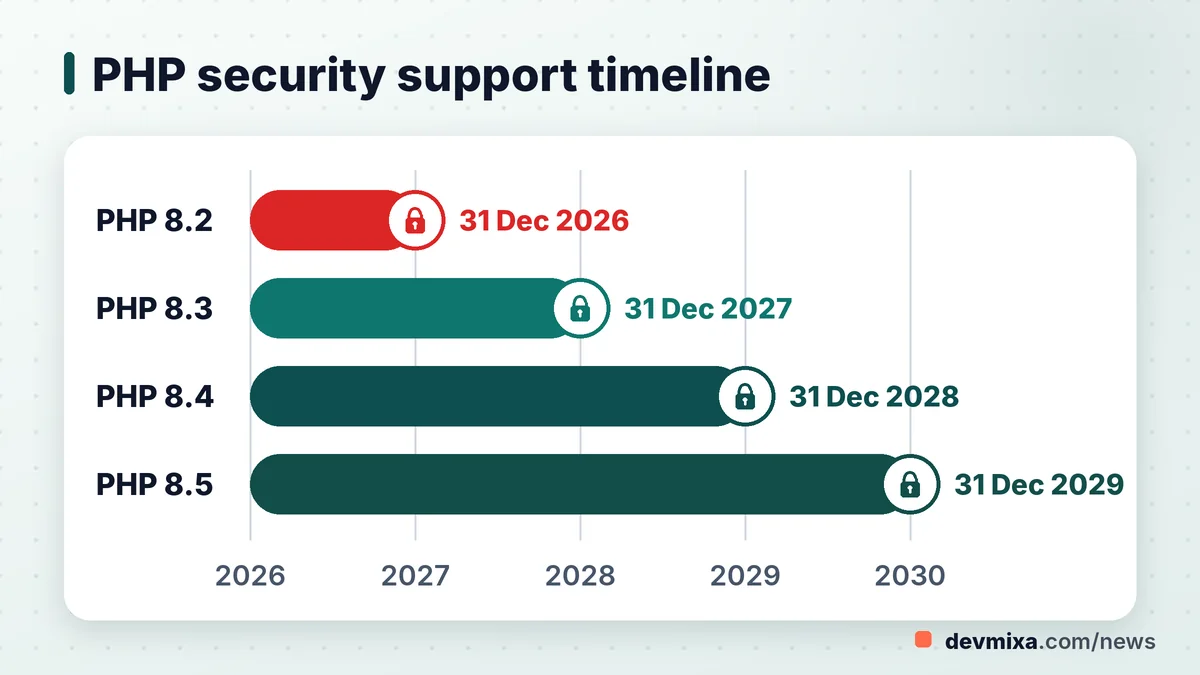
Once 2026 closes, three branches remain under the PHP project's care: PHP 8.3, PHP 8.4 and PHP 8.5. Their dates are worth pinning to your office wall, because they decide how long your next upgrade will last.
- PHP 8.3: active support ended on 31 December 2025; security support runs until 31 December 2027.
- PHP 8.4: active support ends on 31 December 2026, the same day 8.2 dies; security support runs until 31 December 2028.
- PHP 8.5: released on 20 November 2025; active support until 31 December 2027 and security support until 31 December 2029.
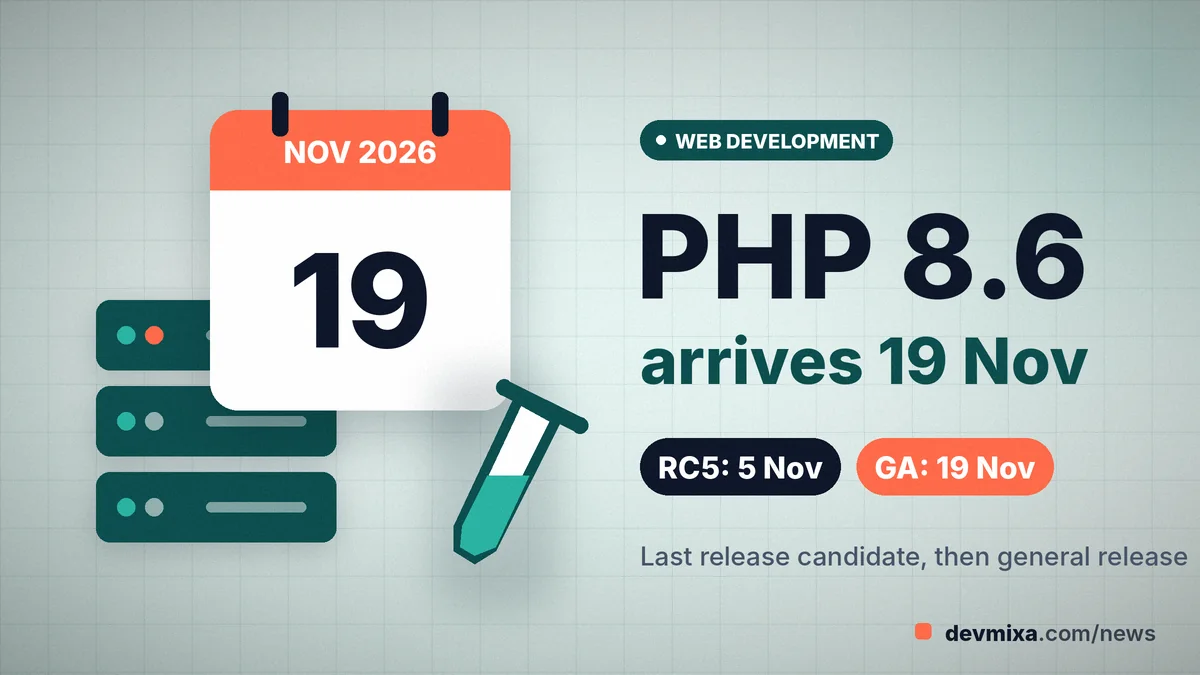
PHP 8.6, the next branch, is not yet on the supported versions page. As of early November 2026 it is still at release-candidate stage: RC4 arrived on 21 October with a clear warning not to use it in production, RC5 is scheduled for 5 November, and the PHP wiki schedule shows general availability on 19 November 2026. Treat those as planned dates, not promises, and keep 8.6 away from a live shop until it is out and your plugins have caught up.
Measured against the retiring branch, 8.3 buys one more year of security fixes, 8.4 two and 8.5 three.
Your site will not go dark on 1 January, but the locks stop changing
No, a website on PHP 8.2 will not stop working on 1 January 2027. The interpreter on your server does not check a calendar. Pages will load, contact forms will send mail and the cart will still take orders. That is exactly why the deadline is easy to ignore.
Many owners search for "what happens if website runs unsupported PHP version" and expect a dramatic answer. Reality is slower and worse. The risk grows quietly, month by month, as researchers and criminals find new flaws in old code and nobody ships a security patch for your branch.
Here is what that exposure looks like for a small business:
- Break-ins through the server, not the theme. A flaw in PHP itself can let an attacker run code on your hosting account, even if every plugin is up to date.
- Software that leaves you behind. Plugin, theme and framework authors gradually stop testing on dead versions, so updates either refuse to install or break things.
- Host pressure. Hosts tend to retire old versions from their menus, and some may move sites forward on their own schedule rather than yours.
None of this happens on a single night. It arrives like damp in a wall: invisible for a season, expensive once it shows.
PHP2Shell: why the October flaws were a warning shot for 8.2 sites
The October 2026 vulnerabilities showed, in real time, how much a supported branch is worth. On 20 October, php.net pre-announced a critical security release for the next day, rated 9.2 on the CVSS v4.0 scale. On 21 October it shipped PHP 8.5.12, 8.4.27, 8.3.36 and PHP 8.2.35 to fix two flaws, CVE-2026-109618 and CVE-2026-109619. Both allow remote code execution without authentication; security press has nicknamed the pair PHP2Shell.
The php.net advisory warned that no workaround was complete and that only an update would make a server safe. It listed only partial stopgaps, such as tighter memory and request limits for CVE-2026-109618 and, for CVE-2026-109619, setting session.upload_progress.enabled=0 in php.ini or the server configuration and restarting every worker. A follow-up advisory on 23 October flagged a related, narrower vector to be fully documented under CVE-2026-115560.
Then the stakes rose. Several outlets, including The Hacker News and Security Affairs, reported that the US agency CISA added both PHP2Shell CVEs to its Known Exploited Vulnerabilities catalogue on 26 October 2026.
Picture the same emergency in February 2027: sites on 8.3, 8.4 and 8.5 would get a patch, and 8.2 sites would get nothing from php.net. The lesson is blunt: the patch you get is the patch your branch is still owed.
Security details change quickly, so confirm the current advisory on php.net or with your host before acting.
How to check PHP version of my website in two minutes
The fastest way to learn which PHP your site runs is to open your hosting control panel and look at the PHP settings for the domain. Most panels show the active version on the same screen where you change it, so the check and the fix live next door to each other.
If you run WordPress, there is an even quicker route. Go to Tools, then Site Health, then Info, and open the Server section. WordPress Site Health shows the PHP version in plain text, and the Status tab will often warn you when that version is outdated.
Does shared hosting automatically update PHP version?
Usually only partly. Most shared hosting plans apply patch releases inside a branch for you, so 8.2.34 quietly becomes 8.2.35. Moving between branches, such as 8.2 to 8.4, is normally your decision, because it can break code. Hostinger's own help page, for example, says it installs the latest patch automatically for whichever minor version you choose, and that existing sites keep their current version. Policies differ between hosts and change over time, so read your host's notice emails and help pages rather than assuming someone else will make the jump before December.
Switching versions in cPanel MultiPHP Manager, Hostinger hPanel and Plesk
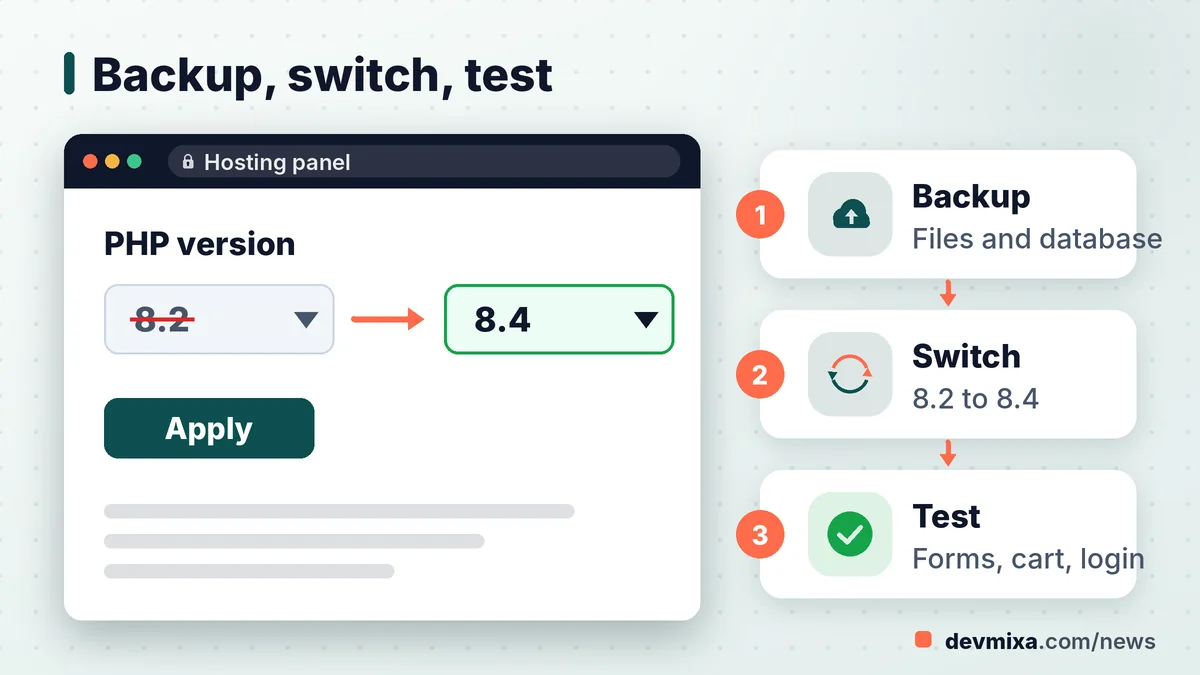
Changing the PHP version takes a few clicks in every major panel; the hard part is the testing around it. Take a full backup of files and database first, and do the switch on a staging copy if your host offers one.
How to change PHP version in cPanel
Open MultiPHP Manager under the Software section. Tick the box next to the domain, pick the new version from the PHP Version drop-down and click Apply. The cPanel MultiPHP Manager documentation notes that if a version is missing, it is not installed on the server, and only your host or server administrator can add it. The "inherit" option simply follows the server default, so choose a named version if you want control.
How to upgrade PHP version in Hostinger hPanel
In Hostinger hPanel, go to Websites, choose Manage for the site, open PHP Configuration in the sidebar, select the version and click Update, then wait a couple of minutes. Hostinger's help page carries two warnings worth reading twice: the chosen version applies to all websites on the plan, and downgrading is generally not possible once you leave the session.
Plesk and other panels
In Plesk, the PHP version sits in the domain's PHP settings under Websites and Domains. Menu names vary between hosts and versions, so follow your host's current guide.
PHP 8.3, 8.4 or 8.5: picking the right landing spot
For most small business sites, PHP 8.3 or 8.4 is the sensible landing spot, with 8.5 reserved for sites whose plugins and framework clearly list support for it. WordPress itself now recommends PHP 8.3 or greater on its requirements page, which is a useful floor.
People type "PHP 8.3 vs PHP 8.4 which to choose" into search bars because both look modern. The trade-off is time versus testing. PHP 8.3 is the gentler step from 8.2 and is widely supported, but its security support ends on 31 December 2027, so you will be back at this desk in about a year. PHP 8.4 changes a little more, yet it carries you to 31 December 2028. If your developer is going to test the site anyway, testing once for 8.4 is often cheaper than testing twice.
Is it safe to upgrade WordPress to PHP 8.4?
WordPress core runs on PHP 8.4, but your site is more than core. Each plugin and theme brings its own code, and one abandoned plugin can throw a fatal error on the whole site. The safe answer is "yes, after testing": check that every plugin lists recent updates, then try 8.4 on a staging site before touching the live one.
PHP 8.5 is a fine choice for well-maintained stacks and fresh builds. It has the longest support window and the least plugin testing behind it.
Testing WordPress and WooCommerce on a staging site before the switch
The safest upgrade path for WordPress or WooCommerce is to copy the live site to a staging site, switch only the copy to the new PHP version, and click through every page that earns you money.
A PHP Compatibility Checker plugin for WordPress, if its WordPress.org page shows recent updates, can give you an early list of plugins and themes that use deprecated functions. Treat it as a first pass: scanners miss problems, lag behind new PHP releases and cannot test a real payment gateway. Then test by hand: home page, product pages, cart, checkout, contact forms, login, search and the admin dashboard.
When a plugin or theme breaks after the upgrade
If you need a "WordPress plugin not compatible with PHP 8.3 fix", work in this order. Update the plugin first, since many fixes are already released. Check its changelog and support forum. If it is abandoned, replace it with a maintained alternative. For a custom theme, ask the developer to fix the deprecated code rather than staying on 8.2 for one file.
Rolling back safely
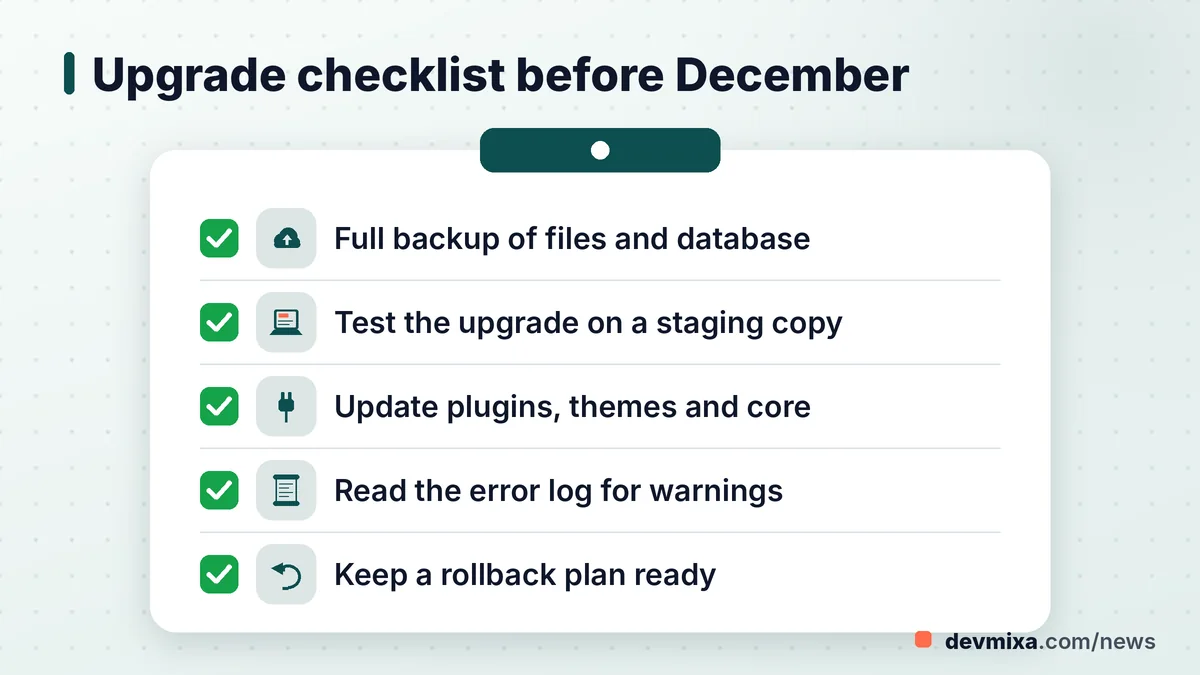
Write the rollback plan before you start. Keep the full backup handy and confirm with your host how to return to the old version, since some panels limit downgrades.
Laravel, CodeIgniter and older custom code: where upgrades take longer
Framework and hand-written PHP sites usually need a developer, because the PHP version, the framework version and the Composer dependencies all have to agree. A Laravel or CodeIgniter project built five years ago may be pinned to a framework release that never supported newer PHP, which turns a quick switch into a small project.
In an old custom codebase, a developer will typically look at:
- The framework version and the PHP range its documentation supports.
- Composer dependencies that are abandoned or locked to old releases.
- Deprecated functions and dynamic properties that 8.2 warned about and newer versions treat more strictly.
- Payment, SMS and courier integrations that use old SDKs.
- Server settings in php.ini and the extensions the code relies on.
The PHP upgrade cost for old Laravel website projects therefore varies widely. A recent, well-maintained app may need little more than updated packages and a test run. A legacy codebase several framework versions behind may need days of work. Ask for a written scope and estimate in rupees after an audit, not before.
If you truly cannot move in time, paid extended support exists. HeroDevs, for example, says its commercial support for PHP covers 8.2 beyond 31 December 2026, with pricing by quote. That is a bridge, not a home.
A seven-step plan to finish the move before 31 December
A small business site with a few common plugins can often be checked and moved in a day or two of calm work, while a custom or framework site may need a week or more, so start in November rather than in the last week of December. Here is a practical order:
- Check the version in your hosting panel or WordPress Site Health and note it down.
- Take a full backup of files and database, and store a copy away from the server.
- Update everything on the current version first: core, plugins, themes and Composer packages.
- Clone to a staging site and switch only the copy to PHP 8.3, 8.4 or 8.5.
- Test the money paths: forms, cart, checkout, payment, login and admin, and read the error log for warnings.
- Switch the live site at a quiet hour, such as late night IST, and test again straight away.
- Keep watching the error log and orders for a few days, and add the next end-of-support date to your calendar.
Some owners prefer to hand this to someone who does it regularly; a website maintenance and support team can run the backup, staging test and switch for you. Our web development news section carries more updates like this.
Frequently asked questions
Is PHP 8.2 still safe to use in November 2026?
PHP 8.2 still receives security fixes until 31 December 2026, so it is supported for now, provided you run the latest patch, PHP 8.2.35 or newer. The risk is the short runway. Use November and December to test and move rather than waiting for a flaw that arrives after support ends.
When does PHP 8.3 reach end of life?
According to php.net, PHP 8.3 has security support until 31 December 2027. Its active support already ended on 31 December 2025. If you move from 8.2 to 8.3 now, plan for another upgrade during 2027, or consider going straight to 8.4 or 8.5 for a longer gap.
Which PHP version does WordPress recommend?
The WordPress requirements page recommends PHP 8.3 or greater. WordPress can still run on older versions for legacy setups, but the project warns that those versions have reached end of life and can expose a site to security problems. Always check your plugins and theme as well as core.
Will Google rank my site lower for using old PHP?
There is no public sign that Google reads your PHP version as a ranking signal. The indirect effects are real, though. A hacked site can be flagged or filled with spam pages, and slow, error-prone pages hurt visitors. Keeping PHP supported protects the things search engines do measure.
Does upgrading PHP make a website faster?
Often a little, sometimes noticeably, but it depends on the site. Newer PHP branches include engine improvements, yet a slow site is usually held back by heavy plugins, large images or a weak hosting plan. Measure page speed before and after the switch instead of expecting a fixed gain.
Can I skip PHP 8.3 and go directly to 8.4?
Yes. You can jump from 8.2 straight to 8.4 or even 8.5, as long as your code, plugins and framework support the target. Skipping a version means one round of testing instead of two, but read the migration notes for every version you skip, since changes stack up.
Is PHP 8.6 released yet?
Not as of early November 2026. PHP 8.6 is at the release-candidate stage, with RC5 scheduled for 5 November and general availability scheduled for 19 November 2026 on the PHP wiki. Release candidates are test builds, so do not use them on a live business site.
Do I need a developer to upgrade PHP?
For a simple WordPress site with popular, updated plugins, a careful owner can often switch on staging and test it alone. For WooCommerce stores, custom themes, Laravel, CodeIgniter or hand-written code, a developer is the safer choice, because fixing errors usually means editing code.
What is the latest PHP 8.2 release?
PHP 8.2.35, released on 21 October 2026, is the latest 8.2 release at the time of writing. It fixed the two critical PHP2Shell flaws and carried the end-of-life notice. Windows users also got a rebuilt 8.2.35-1 package on 26 October with an updated Brotli library.
Will my hosting company charge extra for old PHP versions?
Policies vary by host. Some simply remove old versions from their panels, some move customers forward, and a few providers offer paid extended support for legacy versions. Check your host's notices and terms, and ask support directly if your site depends on an old version.
Planning a website, web app or SEO upgrade?
Tell us what you need. We reply within one working day with a clear plan and price.