In this story11 sections
- Is my website hacked? Ten warning signs worth checking tonight
- Mobile-only redirects to betting and spam pages
- Japanese and pharma text appearing in your Google results
- Google's red flags: hacked labels, browser warnings and the Security Issues report
- Server-side clues: strange admins, new files and spam mail from your domain
- The first hour after you spot a hack
- Cleaning a WordPress site, and whether a backup restore is enough
- Asking Google to lift the warning after cleanup
- CERT-In reporting: who must report within six hours
- Stopping the next attack, and when to call in a professional
- Frequently asked questions
Consider a cake shop owner in Bhopal who searches for her own business and finds a page of Japanese text where the menu should be. Then a customer messages to say her link sent him to a betting site. If you are asking is my website hacked, it usually starts with moments like these. This India guide covers ten warning signs, what to do in the first hour, how Google lifts its warnings and when the six-hour CERT-In reporting rule applies.
| Item | Details |
|---|---|
| What | Practical guide to spotting, cleaning and reporting a hacked website |
| Who it affects | Indian shop owners, startups, bloggers and the developers who run their sites |
| Key dates | CERT-In Directions dated 28 April 2022, effective 60 days after issue (late June 2022); report listed incidents within 6 hours of noticing them |
| Official sources | Google Search Central hacked-site guidance; CERT-In (incident@cert-in.org.in) |
| What to do | Check Google Search Console, contain the damage, clean every file, request a review and report to CERT-In if you are covered |
Is my website hacked? Ten warning signs worth checking tonight
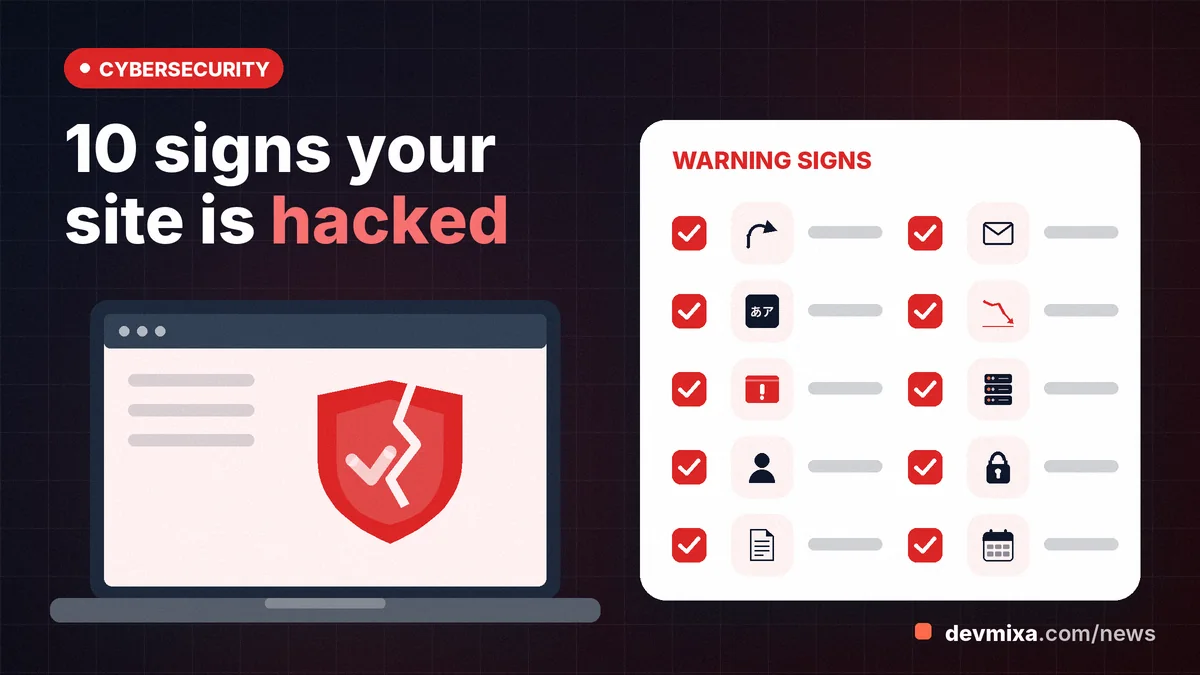
Most hacks announce themselves through one or more of ten signs, and you can test nearly all of them in an evening with free tools. A break-in rarely kicks the door down; it leaves it ajar.
- Visitors, often on mobile, land on betting, adult or fake shopping pages instead of yours.
- Google results for your domain show Japanese, Chinese or pharma text you never wrote.
- Search results carry the "This site may be hacked" line under your listing.
- Chrome shows a red "Deceptive site ahead" or malware screen before your page loads.
- The Security Issues report in Google Search Console lists a problem.
- You find unknown admin users in WordPress, cPanel or Search Console.
- New PHP files, odd folders or recently changed core files appear on the server.
- Customers complain about spam or phishing emails that seem to come from your domain.
- Organic traffic or rankings fall sharply in a few days without any change on your side.
- Your hosting provider warns about malware, throttles the account or suspends it.
One sign is a reason to dig. Two together, such as a traffic fall plus strange URLs in search, almost always mean a real compromise. Rankings fall because Google may label or demote pages it sees as harmful, and spam pages dilute your site.
Mobile-only redirects to betting and spam pages
A site that jumps to betting or spam pages only on phones is usually carrying a conditional malicious redirect, a script told to fire for some visitors and stay quiet for others. Owners who report a website redirecting to spam site after hack often say the same thing: "It works fine on my laptop." That is the point. The code checks the device, the browser and where the click came from. A visitor arriving from a Google result on an Android phone gets bounced; the owner typing the address on a desktop sees nothing wrong.
Some scripts also fire only once per visitor, or skip anyone logged in to WordPress, so the person most likely to notice is the one being hidden from.
The code usually hides in a few places: the .htaccess file, the theme's header or footer file, an injected block of JavaScript in the database, or a fake plugin with a harmless-sounding name. To test it fairly, open your site on mobile data in a private browser window, and reach it by searching your brand name on Google rather than typing the address. If the redirect shows up, write down the exact URL it lands on, because that domain is a useful clue during cleanup.
Japanese and pharma text appearing in your Google results
Strange Japanese or pharma text in your Google listings usually means spam injection: attackers have created hundreds or thousands of pages on your domain to sell fake branded goods or pills. Google's guide on this pattern describes machine-written Japanese pages in randomly named folders that earn affiliate money from shops selling fake branded goods. The pharma version does the same with medicine keywords.
The trick that keeps owners in the dark is cloaking. When you open one of these URLs, you may see a 404 error or a normal page, while Googlebot is served the spam. Run a search for site:yourdomain.com and scroll through several pages of results. Gibberish titles, foreign scripts and URLs you never created are the giveaway. Then check one suspect address with URL Inspection to see the version Googlebot was handed.
The Japanese keyword hack fix in Google Search starts with a step most guides skip: check who owns your Search Console property. Attackers often add themselves as owners, which lets them tamper with sitemaps and geotargeting. Remove any owner you do not recognise, delete their verification token (sometimes an HTML file, sometimes a rewrite rule in .htaccess), and only then clean the files. Otherwise you are mopping the floor while the tap still runs. After cleanup, those spam URLs should return a "Not Found" response.
Google's red flags: hacked labels, browser warnings and the Security Issues report
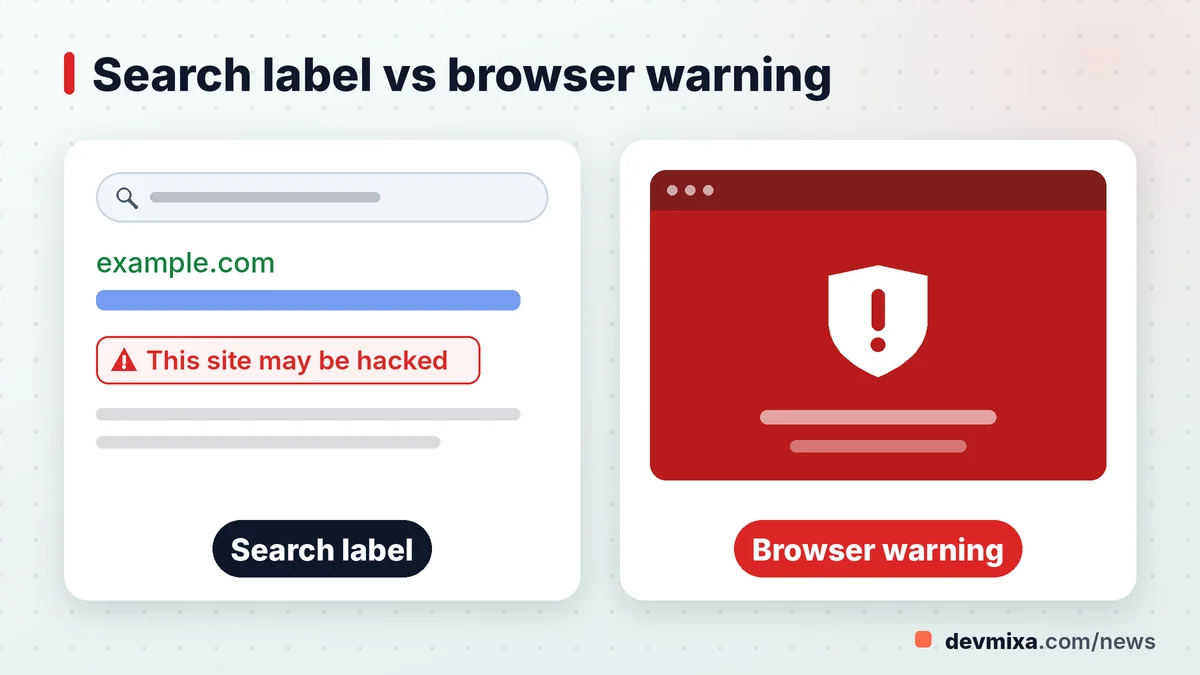
If a Google warning made you ask "is my website hacked", know that Google warns in two places, each pointing to a different problem. In search results, the line "This site may be hacked" appears when Google believes a hacker has changed existing pages or added spam pages. In the browser, Google Safe Browsing can trigger a full-screen red warning, such as "Deceptive site ahead", when it detects a phishing page or other social engineering, or a separate malware warning when the site may harm devices.
Both trace back to the Security Issues report inside Google Search Console. Google groups its findings into three families: hacked content (code injection, content injection, URL injection and malware), malware and unwanted software (harmful downloads), and social engineering (deceptive pages and possible phishing on login pages). Each listing comes with sample URLs.
Check the Manual Actions report while you are there. A spam penalty can sit alongside a security flag. Many owners search for steps on "this site may be hacked warning remove", but there is no switch to flip. Google states that the label stays until the owner fixes the problem and asks for a fresh look. The label is a smoke detector, and it stops beeping only when the fire is out.
Server-side clues: strange admins, new files and spam mail from your domain
Unknown admin accounts and freshly changed files are the fingerprints a hacker leaves inside the server. Open WordPress Users and sort by role. An administrator called "wpsupport" or "admin2" that nobody on your team created is a red alert, and so is an extra FTP account or a new email account in cPanel.
Next, look at file integrity. The cPanel File Manager and most FTP clients can sort by modification date. Core files changing on a day nobody updated anything, PHP files inside the uploads folder, or code that strings together functions like base64_decode and eval are classic signs of a backdoor, a hidden entry point that lets the attacker return after you think the job is done.
Yes, a hacked site can send spam emails from your domain. Attackers drop mailer scripts that use your server to blast thousands of messages, which can land your domain on blocklists and push your genuine invoices into customers' spam folders. That outbound flood is also why hosts act fast. The usual hosting account suspended due to malware fix runs in three steps: ask the host for its scan report and the list of infected paths, clean or replace those files, then request a rescan before the account goes live.
The first hour after you spot a hack
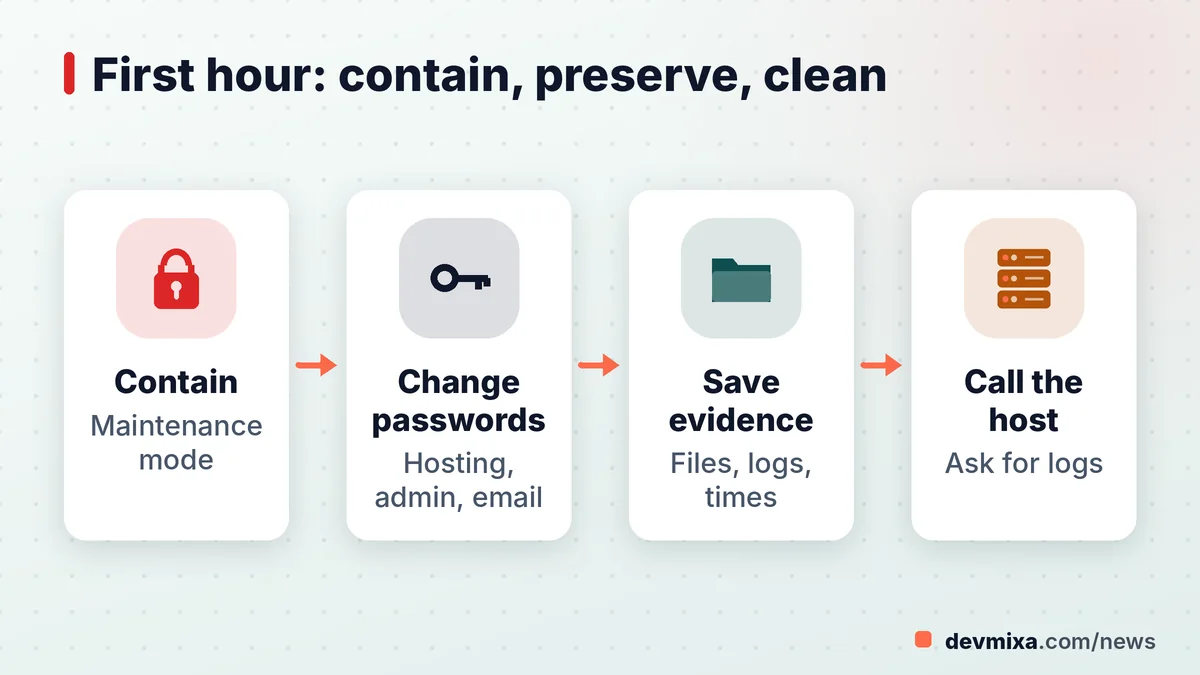
Once the answer to "is my website hacked" is yes, the first hour is about containment and evidence, not cleanup. Anyone searching "website hacked what to do first steps" needs a short list:
- Put the site in maintenance mode if it is redirecting visitors, serving malware or showing a phishing page. A short outage costs less than infecting customers.
- Do a password reset for hosting, cPanel, FTP or SFTP, the database, every WordPress admin, your domain registrar and the email accounts linked to them.
- Turn on two-factor authentication wherever it is offered.
- Save evidence: take a full copy of files and the database as they are now, plus server logs, screenshots and the time you first noticed the problem. Keep it apart from good backups.
- Tell your hosting provider and ask for access logs and any malware scan they ran.
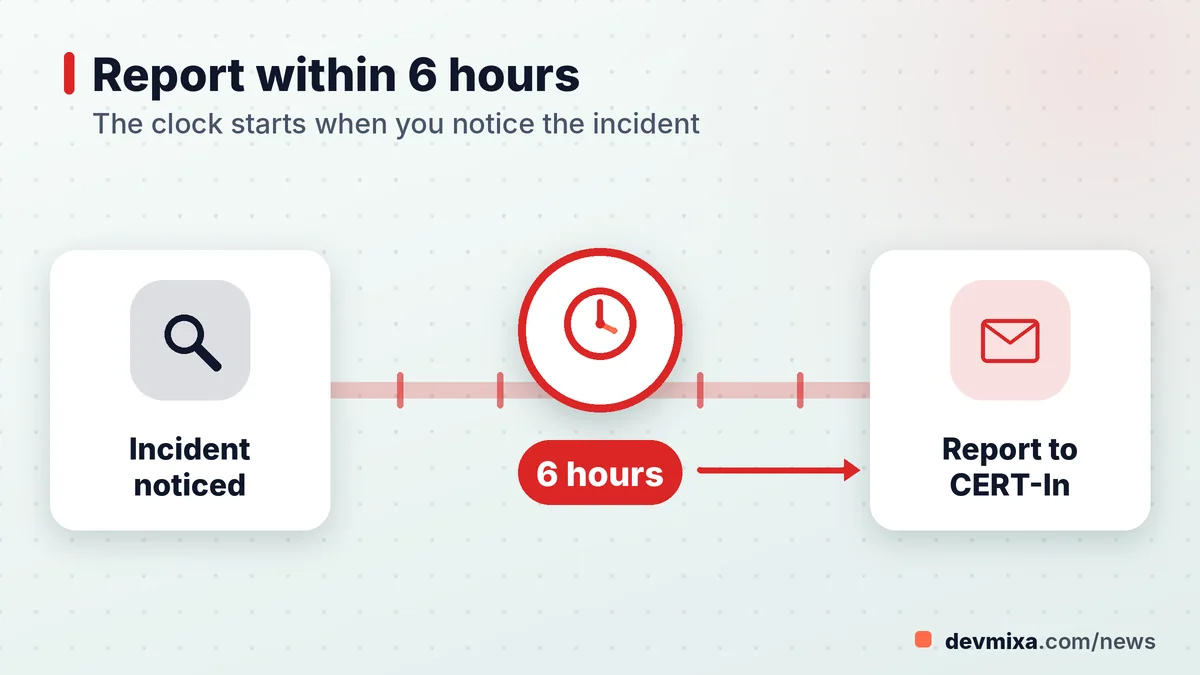
- Note the clock if your business may be covered by CERT-In rules, because the six-hour window starts when you notice the incident.
Should you take the site fully offline? If visitors are being harmed, yes, or at least block public access with a maintenance page. If it is a quiet spam injection that does not touch visitors, you can keep the site up while you clean, provided you move quickly. In a kitchen fire, you turn off the gas before hunting for the cause.
Cleaning a WordPress site, and whether a backup restore is enough
A WordPress cleanup works only when you replace everything you cannot trust and inspect the rest. How to check if WordPress site is hacked? Run a server-side scan, then compare core files with fresh copies from WordPress.org.
- Reinstall WordPress core files from an official download, keeping only wp-config.php and the wp-content folder.
- Delete every plugin and theme you do not use. Reinstall the rest fresh from their official sources, never from a random ZIP.
- Check wp-config.php, .htaccess and the uploads folder by hand for injected code. PHP files have no business inside uploads.
- Search the database (posts, options and users tables) for script tags and links to unfamiliar domains.
- Remove unknown admin users, then change the salts in wp-config.php so every session is logged out.
- Update WordPress plugins, themes and PHP to supported versions.
Is a backup restore enough on its own? Usually not. A backup brings back the house, not the lock that failed. If the backup was taken after the attacker got in, you restore the backdoor too. Even with a clean older copy, the hole that let them in, such as an outdated plugin or a leaked password, is still open until you patch it. Restore, then patch, then change every password again.
Asking Google to lift the warning after cleanup
Once the whole site is clean, you request a review from the Security Issues report and Google re-checks it. According to Google's Search Console help pages, the review can take from a few days to a few weeks, and the warning comes off once Google confirms the problem is fixed.
A Google Search Console Security Issues report fix is accepted only when the problem is gone everywhere, not just on the sample URLs Google listed. Before you click "Request Review", fix every issue in the report, test your fixes, and run the site:yourdomain.com search again to make sure no spam pages still respond. In the request box, write plainly what the issue was, what you changed and how you checked it. "Removed injected JavaScript from the theme header, reinstalled core and plugins, deleted two unknown admins" beats "site fixed please check".
Do not submit a second request while the first is pending. Google says repeated requests can lengthen future review times. If the Manual Actions report also shows a penalty, that needs its own reconsideration request.
Google's Security Issues report help page explains each issue type and how the review request works.
CERT-In reporting: who must report within six hours
Under the CERT-In Directions dated 28 April 2022, any service provider, intermediary, data centre, body corporate or government organisation must report listed cyber incidents to CERT-In within 6 hours of spotting them or learning of them from someone else. The list in Annexure I includes defacement of a website or intrusion with unauthorised changes, malicious code attacks, targeted scanning of critical systems and compromise of critical systems or information.
Knowing how to report website hacking to CERT-In is simple on paper. The Directions name three channels: email to incident@cert-in.org.in, phone on 1800-11-4949 and fax on 1800-11-6969. The incident reporting form is on the CERT-In website. Covered entities must also keep ICT logs for a rolling 180 days within India.
Who exactly counts as a "body corporate" is less tidy. Law firms that analysed the 6-hour reporting rule called its scope unclear, and CERT-In issued a notice on 27 June 2022 extending some timelines for MSMEs. A private limited company running an online store should assume it is covered. A sole proprietor with a brochure site should check with a lawyer. Confirm current obligations on the official CERT-In page or with a legal professional; this guide is not legal advice.
If money was stolen, data was misused or customers were cheated, also file a complaint on cybercrime.gov.in, the National Cyber Crime Reporting Portal, or call the 1930 helpline for financial fraud.
Stopping the next attack, and when to call in a professional
Most small business sites in India are hacked through weak or reused passwords, outdated WordPress plugins, nulled themes downloaded from piracy sites and forgotten test installs. Learning how to prevent website hacking for small business sites is less about expensive tools and more about steady habits, like locking the shutter every night.
- Update core, plugins and themes every week, and remove anything you do not use.
- Use unique passwords and two-factor authentication for hosting, cPanel, the registrar and every admin.
- Keep at least three dated backups stored away from the server, and test a restore once a quarter.
- Put a web application firewall in front of the site, through your host, a CDN or a plugin.
- Give each staff member their own login with the lowest role they need.
- Check the Security Issues report and your users list once a month.
Call in a professional if the hack returns after cleanup, if it is an online store holding customer data, if your host has suspended the account, or if you may have a CERT-In duty. A maintenance and support plan helps if nobody on your team owns updates. The hacked website cleanup cost in India depends on the number of files, sites on the account, database spam and whether you need help with Google and CERT-In paperwork, so ask for a written scope before work starts. For related alerts, browse Devmixa cybersecurity coverage.
Frequently asked questions
How much does it cost to repair a hacked website in India?
There is no fixed rate. Price depends on the size of the site, how many files and database rows are infected, whether several sites share one hosting account, and whether you need help with Google review requests or CERT-In reporting. Ask for a written quote that says whether reinfection is covered.
How long does Google take to remove a hacked warning?
Google's Search Console help pages say a security review can take from a few days to a few weeks. The label is removed after Google confirms the site is clean. Sending repeat requests while one is pending can slow future reviews, so submit once, with clear details of what you fixed.
Is there a free way to check if my site is hacked?
Yes. Answering "is my website hacked" costs nothing. Verify your site in Google Search Console and open the Security Issues report, run a site:yourdomain.com search, test the site on mobile data in a private window, and review admin users in WordPress and cPanel.
Can a hack damage my SEO for good?
Usually not, if you clean it fully and quickly. Rankings tend to recover once the warning label goes and spam URLs drop out of the index. Long delays, repeated reinfections or spam backlinks left in place can slow recovery, so fix the cause, not just the symptoms.
Will an SSL certificate stop hackers?
No. SSL encrypts data travelling between the visitor and the server, which protects logins and forms from snooping. It does nothing about outdated plugins, weak passwords or malicious files already on the server. A padlock in the address bar shows the connection is private, not that the site is clean.
Is it safe to use nulled WordPress themes or plugins?
No. Nulled themes and plugins are pirated copies of paid products, and many are bundled with hidden backdoors or spam links. They also get no official updates, so known holes stay open. Buy from the developer or use free versions from the official WordPress directory instead.
Do small businesses have to follow the CERT-In six-hour rule?
The rule reaches body corporates as well as data centres, intermediaries, government bodies and service providers, so a registered company is very likely covered. For very small firms and sole proprietors, lawyers have described the scope as unclear, and CERT-In has extended some MSME timelines. Check the official CERT-In page or ask a lawyer for your case.
Do I need to change every password after a hack?
Yes. Change passwords for hosting, cPanel, FTP or SFTP, the database, every CMS admin, the domain registrar and linked email accounts. Do it from a clean device, turn on two-factor login where possible, and remove any accounts you do not recognise. Old passwords should be treated as known to the attacker.
Will my web host remove malware for me?
Some hosts scan for malware and quarantine infected files, and a few offer paid cleanup. Many only suspend the account and share a list of infected paths, leaving the cleaning to you. Ask your host what its plan includes, and check that they also find how the attacker got in.
Which email address does CERT-In use for incident reports?
CERT-In accepts incident reports at incident@cert-in.org.in. Its 2022 Directions also list a phone number, 1800-11-4949, and a fax number, 1800-11-6969. Include when you noticed it, the affected systems and contact details, and keep a copy.
Planning a website, web app or SEO upgrade?
Tell us what you need. We reply within one working day with a clear plan and price.