In this story11 sections
- An XML sitemap is a guest list, not an entry pass
- Finding the sitemap file on WordPress and custom-built sites
- Setting up Search Console: domain property or URL-prefix property
- How to submit sitemap in Google Search Console without guesswork
- Search Console sitemap couldn't fetch error fix: the usual suspects
- How to check if page is indexed by Google, one URL at a time
- The Page indexing report runs on delay, so read trends, not days
- Sitemap submitted but pages not indexed: decoding the two "currently not indexed" labels
- Noindex tags, robots.txt and canonical URLs that quietly block pages
- A practical repair plan for small business sites
- Frequently asked questions
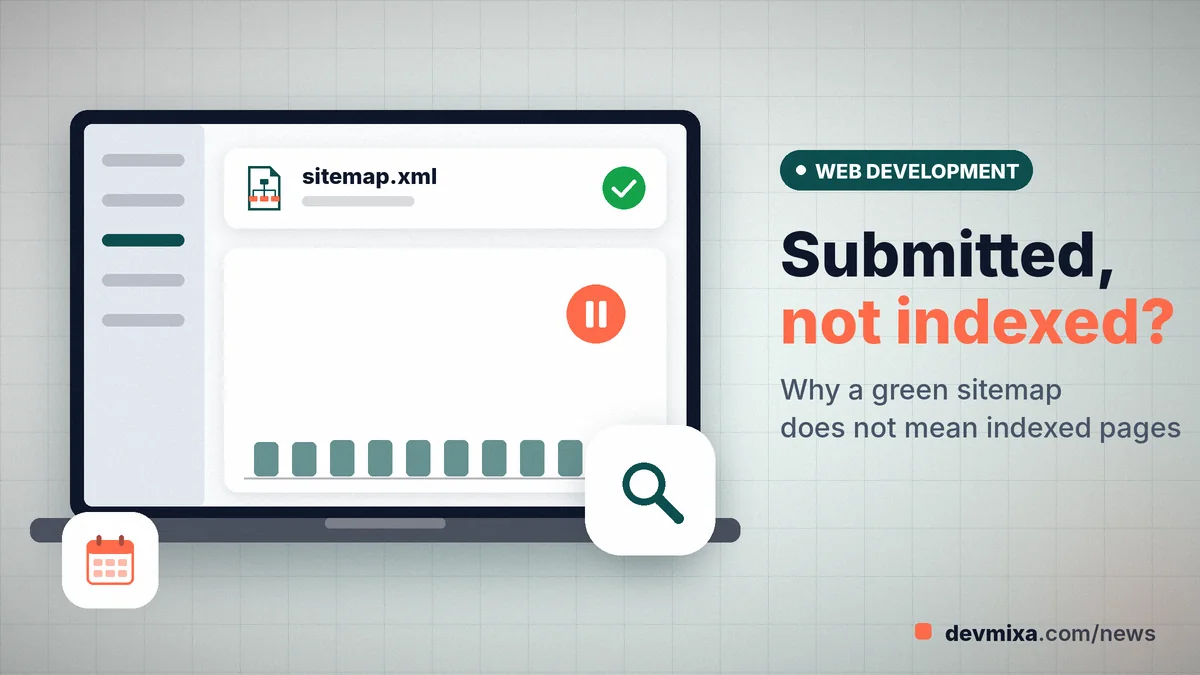
You built the website, uploaded the sitemap, saw a green Success in Google Search Console, and then waited. A week later, half your service pages are still missing from Google. If your site shows the classic sitemap submitted but pages not indexed pattern, you are in good company, and the cure is usually a checklist rather than a mystery. This guide, written for 8 November 2026, shows how to submit, check and repair indexing step by step.
| At a glance | Details |
|---|---|
| What this covers | Submitting an XML sitemap, checking single URLs and reading the indexing statuses in Google Search Console |
| Who it affects | Shop and clinic owners with WordPress or custom sites, freelancers, and developers launching or relaunching a website |
| Key dates | Google announced the end of the sitemap ping endpoint in June 2023; the Page indexing report showed frozen and delayed data from 11 June 2026, as reported by Search Engine Roundtable |
| Official source | Google Search Central documentation on building and submitting a sitemap |
| What to do | Submit the sitemap once, inspect key URLs, fix blocks and weak pages, then give Google time |
An XML sitemap is a guest list, not an entry pass
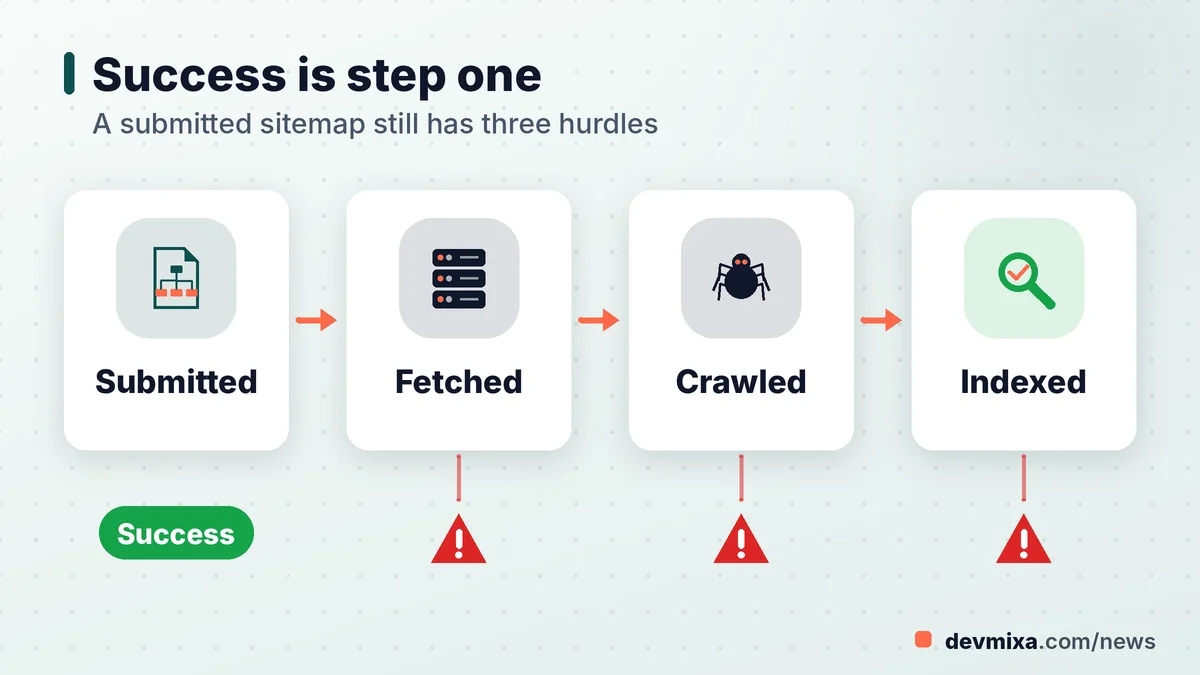
An XML sitemap is a file, usually called sitemap.xml, that lists the URLs you want Google to know about, and most small business websites benefit from having one. Think of it as the guest list you hand to the watchman at a wedding hall. It tells Googlebot who is expected. It cannot force anyone through the gate; if a page later fails a different test, the sitemap has still done its job.
Google's own documentation calls a sitemap a hint. Submitting one does not even guarantee that Google will download the file, let alone crawl or index every URL inside it.
Who needs one most? New sites with few backlinks, sites with hundreds of product or listing pages, and sites where some pages sit deep in the menu with weak internal links. A five-page brochure site for a Bhopal clinic can be found without one, but a sitemap costs nothing and makes problems easier to spot in reports.
One technical note matters here. Google uses the lastmod value only when it is consistently accurate, so it should change when the main content changes, not every time a footer year updates. Google ignores the priority and changefreq tags entirely, so do not waste effort tuning them.
Finding the sitemap file on WordPress and custom-built sites
Your sitemap URL is almost always at a predictable address, so start by typing a few common paths after your domain. The quickest test is yourdomain.com/sitemap.xml or yourdomain.com/sitemap_index.xml in a browser. If a page of links or XML code appears, you have found it.
How to find sitemap URL of WordPress site
The answer depends on which tool builds it. WordPress core has created its own sitemap at /wp-sitemap.xml since version 5.5. Install Yoast SEO or Rank Math and the plugin usually switches that off and serves its own sitemap index file at /sitemap_index.xml instead.
A sitemap index file is a parent list that points to child sitemaps, such as one for posts, one for pages and one for product categories. Submit the parent, and Google reads the children.
On a hand-coded or custom PHP site, ask your developer where the file lives, or open yourdomain.com/robots.txt. Many sites declare the location there with a line that begins with "Sitemap:". If nothing turns up anywhere, the site may not have one yet, and the developer needs to add a generator before you go further.
Setting up Search Console: domain property or URL-prefix property
Before you can submit anything, you need a verified property in Google Search Console, and the first choice is between a domain property and a URL-prefix property.
A domain property covers everything under your domain in one view: http and https, www and non-www, and every subdomain such as shop.example.in or blog.example.in. The catch is that it accepts only DNS verification. You copy a TXT record from Search Console and add it in your domain registrar's DNS panel, which can take minutes or, with some registrars, many hours to take effect. A URL-prefix property covers only the exact address you type, such as https://www.example.in/, but accepts easier methods such as an HTML file or meta tag.
For most Indian small businesses, the domain property is the cleaner long-term choice, because it stops data from splitting across four versions of the same site. If DNS access sits with an agency or a relative who registered the domain years ago, start with a URL-prefix property today and add the domain property later. You need owner permission on the property to submit a sitemap.
How to submit sitemap in Google Search Console without guesswork
Open the Sitemaps report, paste the sitemap URL into the "Add a new sitemap" box, and click Submit.
- Open the sitemap URL in a browser and confirm it loads without a login prompt or error.
- Run the URL through the URL Inspection tool's live test and check that Page fetch reads Successful. Google's help page recommends this step.
- In the left menu, choose Indexing, then Sitemaps.
- Enter the path (for example sitemap_index.xml) and press Submit.
Google usually fetches the file soon after you submit it. The table below the box then shows the sitemap URL, type, date submitted, date last read, status and the number of discovered pages.
What a Success status actually tells you
Success means Google fetched and parsed the file with no errors. It says nothing about whether those pages are indexed, and that gap is exactly where most owners get confused. "Has errors" means the file was read but something inside was broken; valid URLs are still queued. Discovered pages is a parsing count, not an indexing count. Treat a green Success like a courier receipt: the parcel was accepted, not yet delivered.
Search Console sitemap couldn't fetch error fix: the usual suspects
A Couldn't fetch status means Google could not retrieve the file at all, and the fix almost always starts with opening that exact URL yourself. Google says it retries for a few days and then stops if the problem continues, so a stale error will not clear on its own.
Work through these causes in order:
- Wrong address. A typo, a missing www, or http when the site redirects to https. Copy the URL straight from the address bar after it loads.
- Blocked by robots.txt or a firewall. Security plugins, Cloudflare rules and some cheap hosting firewalls block Googlebot by mistake. Check your server logs or ask the host.
- Server error 5xx or timeouts. An overloaded shared server may fail when Googlebot calls.
- A 404 error. The plugin was changed or deactivated and the old path no longer exists.
- A fresh submission. Some site owners report that a brand-new sitemap shows Couldn't fetch for a short while before updating. If the URL loads fine and the live test passes, waiting a day or two is reasonable before you escalate.
Once fixed, resubmit the same URL in the Sitemaps report. Removing a sitemap from the report does not make Google forget it, so deleting and re-adding is not a magic reset.
How to check if page is indexed by Google, one URL at a time
The reliable check is the URL Inspection tool, because it reports the status Google holds for that single address. Paste any URL from your property into the bar at the top of Search Console and press Enter.
How to use URL Inspection tool in Search Console
Reading the result comes down to a few lines. The verdict says "URL is on Google" or "URL is not on Google". The details panel shows whether the sitemap listed the URL, the last crawl date, whether crawling and indexing were allowed, and which canonical URL Google chose. Test live URL then shows what Googlebot can fetch right now, though Google notes the live test skips duplicate and canonical checks. A site: search, by contrast, is only a loose sample that can miss indexed pages.
When the Request indexing button helps
If you are asking how to request indexing for a new page, inspect it and click Request indexing once the live test passes. Google adds the URL to a priority crawl queue, and that is all. Save it for a new service page, a page fixed after a noindex mistake, or an urgent price change. Repeated clicks add nothing, and Search Console applies a quota that Google does not publish. Google also says indexing is never instant, even after a direct request: the button shortens the queue but does not skip the quality checks behind most cases of sitemap submitted but pages not indexed.
The Page indexing report runs on delay, so read trends, not days
No, the Page indexing report is not real time, and treating it like a live scoreboard causes more stress than any technical error. Google describes it as a site-wide view of patterns, not a tool for checking individual pages. Its example list stops at 1,000 rows, and its totals can differ slightly from your own count.
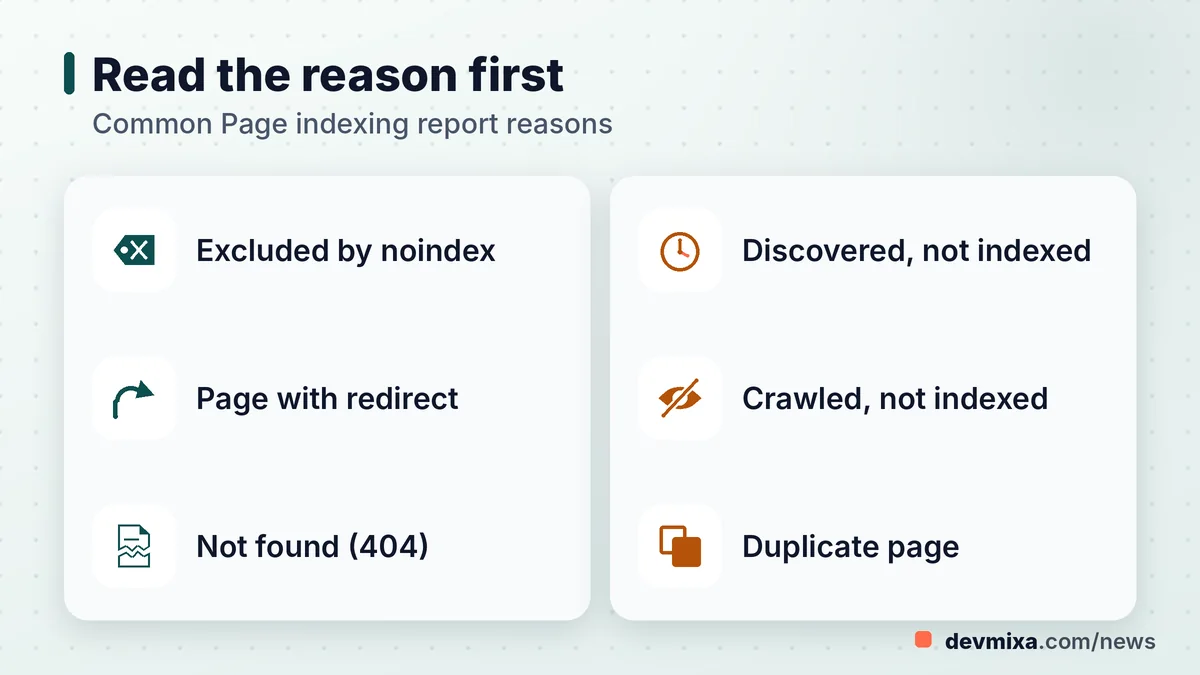
Open Indexing, then Pages. The chart splits URLs into Indexed and Not indexed. Below it, a table lists reasons, such as "Excluded by 'noindex' tag" or "Page with redirect". Click a reason to see sample URLs, and use Validate fix only after fixing every example. Validation typically takes up to about two weeks.
2026 showed how far the lag can stretch. Search Engine Roundtable reported that the report stopped updating around 11 June 2026, was refreshed roughly three weeks later, and then kept showing delayed data in weekly batches through July. Anyone searching "page indexing report not updating in search console" that summer was seeing a reporting glitch, not a penalty. The lag returned in the autumn: on 27 October 2026 the same outlet reported a site whose report had not moved since 16 October, and Google's John Mueller advised owners to "save your energy" and watch the performance reports, where changes show first. If the dates look stale when you read this, that is the likely reason.
So, how long does Google take to index new pages? Google's help page says new content can take a few days to be indexed, and that crawling a newly discovered site can take up to a few weeks. Small new Indian sites with few links tend to sit at the slower end.
Sitemap submitted but pages not indexed: decoding the two "currently not indexed" labels
Most cases of sitemap submitted but pages not indexed land in one of two statuses, and each one means something different.
Discovered – currently not indexed
Discovered – currently not indexed means Google knows the URL exists but has not crawled it yet. Google says it often delays such crawls to avoid overloading the site, which is why the last crawl date stays blank. For people who search "discovered currently not indexed how to fix", the fix comes down to speed and signals: a faster server, fewer junk URLs eating crawl budget on large sites, and stronger internal links pointing at the waiting pages.
Crawled – currently not indexed
Crawled – currently not indexed means Googlebot fetched the page and decided not to store it, at least for now. Google says it may index the page later and that you do not need to resubmit it. The usual "crawled currently not indexed meaning and fix" discussion comes down to value: thin text, near duplicate content across city pages, and boilerplate product copy are common reasons. Rewrite the page so it answers something no other page on your site answers, add a few internal links to it, and give it time.
Noindex tags, robots.txt and canonical URLs that quietly block pages
A noindex tag tells Google not to index a page, robots.txt tells Googlebot not to crawl it, and a canonical URL tells Google which version of similar pages to keep. Any of the three can make a perfectly good page vanish.
The noindex tag is the most common silent culprit. WordPress has a setting under Reading called "Discourage search engines from indexing this site", which developers tick on staging sites and sometimes forget to untick at launch. Yoast SEO and Rank Math also let you set noindex on single pages or whole post types. URL Inspection shows "Excluded by 'noindex' tag" when this is the cause.
Robots.txt works differently. A Disallow rule stops crawling, not indexing, so Google may still list such an address, minus any snippet, when outside links point to it. And if robots.txt blocks a page, Google cannot see a noindex tag on it. Never list blocked URLs in your sitemap; it sends mixed signals.
Canonical tags decide which copy wins. If your product appears at three URLs because of filters or tracking parameters, Google indexes the one it judges canonical and marks the rest as duplicates. URL Inspection shows both your declared canonical and the one Google selected. When they differ, fix your internal links so they all point to the version you want.
Security and legal settings on your hosting can also affect crawling, so confirm unfamiliar rules with your host or developer before changing them.
A practical repair plan for small business sites
The fastest route out of a stuck index is a calm, ordered checklist that fixes access first, signals second and content third.
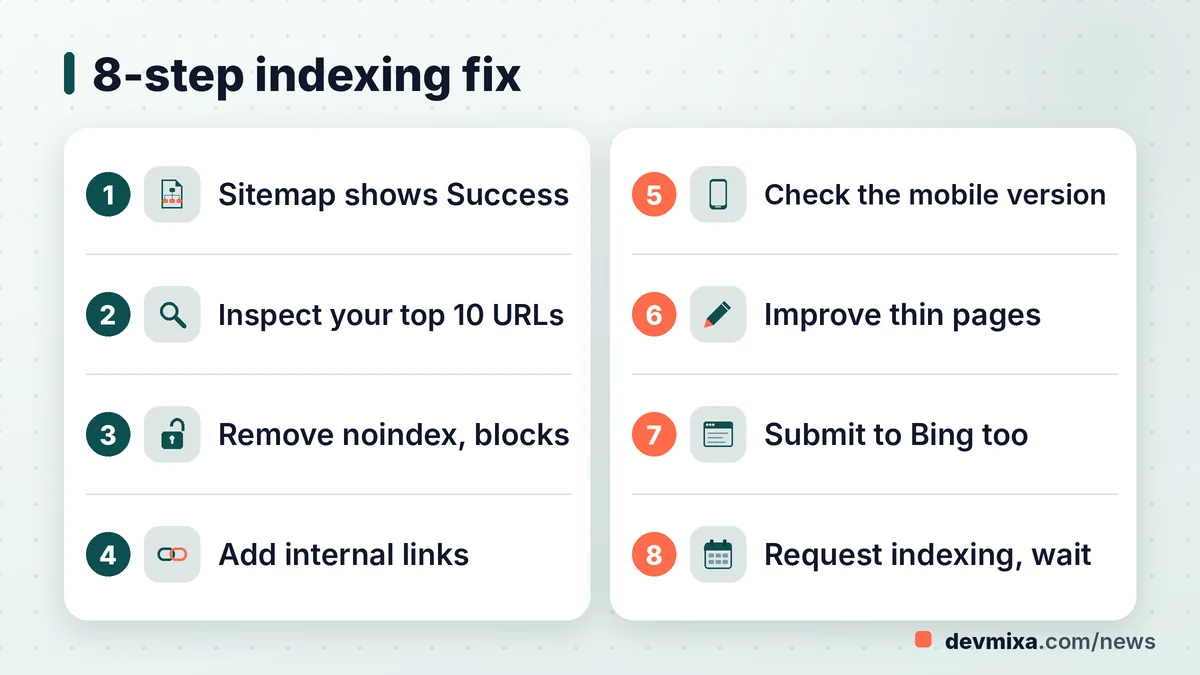
- Confirm your sitemap opens in a browser and shows Success in the Sitemaps report. List only live, canonical, indexable URLs that return a 200 status.
- Inspect your ten most important URLs. Note the verdict, the canonical Google chose and the last crawl date.
- Remove accidental noindex tags and robots.txt blocks, and fix any 404 error or server error 5xx the reports show.
- Strengthen internal links. Link new pages from the home page, menus and related articles, so Googlebot finds them through real paths, not just the sitemap.
- Check the mobile version. Google uses mobile-first indexing, so content hidden or missing on phones may not count.
- Improve thin pages. Merge near-identical city or product pages and add real detail, prices in ₹, photos and FAQs.
- Submit the same sitemap to Bing Webmaster Tools. Bing also supports IndexNow, a protocol that pings participating search engines when a page changes; Google has not adopted it.
- Request indexing only for a handful of priority pages, then wait and watch trends.
If your site sits on outdated plugins or slow hosting, a website maintenance and support plan can clear the access problems, and an SEO audit can find the content and linking gaps. For the official reference on formats and limits, read Google's guide to building and submitting a sitemap. More explainers are in our web development news section.
Frequently asked questions
Is submitting a sitemap mandatory for Google indexing?
No. Google can find pages through links from your own site and from other websites, so a sitemap is optional. It is still worth adding, because it gives Google a clean list of the URLs you care about and makes indexing problems far easier to track in Search Console.
Can I submit more than one sitemap?
Yes. You can submit several sitemaps, or one sitemap index file that points to many child sitemaps. Separate files for posts, pages and products help you see which section has problems. The Sitemaps report displays up to 1,000 submissions, although Google says you can submit more than that.
Does submitting a sitemap guarantee indexing?
No. Google treats a sitemap as a hint. It may crawl some URLs late and decide not to index others because of duplicate content, thin text, noindex tags or blocks. A Success status only confirms that Google read the file without errors, nothing more.
Can I still ping Google with my sitemap?
No. Google announced in June 2023 that its sitemap ping endpoint was going away, so old ping URLs no longer help. Submit the sitemap in the Sitemaps report, through the Search Console API, or list it on a "Sitemap:" line in your robots.txt file instead.
How many URLs can one sitemap contain?
One sitemap file can hold up to 50,000 URLs and must stay under 50MB uncompressed, according to Google's documentation. Bigger sites should split URLs across several files and tie them together with a sitemap index file, which can list up to 50,000 sitemaps.
Is a site: search an accurate index check?
Not really. Typing site:yourdomain.com into Google shows a rough sample, and it can leave out pages that are actually indexed. For a dependable answer about any single page, paste its address into Search Console's URL Inspection tool and read the verdict there.
Do I need to resubmit the sitemap after adding pages?
Usually not. Google rereads sitemaps it has already accepted on its own schedule, and plugins such as Yoast SEO update the file automatically when you publish. Google suggests resubmitting only after major changes, such as a redesign, a new URL structure or a domain move.
Does Search Console cost money?
No. Google Search Console is free for any website owner who can verify a property. There is no paid tier and no rupee charge for the Sitemaps report, URL Inspection or the indexing reports. Beware of anyone selling "paid Google indexing", which Google does not offer.
How often does Google read my sitemap?
Google does not publish a fixed schedule. It rereads successful sitemaps periodically, and the Last read column in the Sitemaps report shows the most recent visit. Sites that update often and keep lastmod values accurate tend to see their sitemaps fetched more regularly.
Why does URL Inspection show a different result from the Page indexing report?
The two tools work on different timing. URL Inspection reports the latest status Google holds for one URL, while the Page indexing report collects site-wide data that can lag by days or, as in mid-2026, weeks. When they disagree, trust URL Inspection for that individual page.
Planning a website, web app or SEO upgrade?
Tell us what you need. We reply within one working day with a clear plan and price.